Abyssal Lapidary Steam: Demo and Platform Guide
Explore Abyssal Lapidary on Steam: free demo access, release status, PC requirements, Steam Deck compatibility, and gem-cutting gameplay.
Cutting gemstones sounds peaceful—until the mineral beneath your tools starts behaving like something alive. If you’re searching for Abyssal Lapidary Steam details, the important distinction is that its free demo is available, but the full game is still listed as coming soon as of October 24, 2026. This Abyssal Lapidary Steam guide explains how to try it, which platforms are supported by the current listing, and what hardware you’ll need before stepping into its unsettling jewelry business.
Developed by Light Worm and published by XD, this gothic management simulation combines hands-on stoneworking, customer service, and a mystery beneath a Victorian-inspired underground city. Here’s what is confirmed—and what remains unknown.
Abyssal Lapidary Steam Release Status and Demo Access
The first thing to know about the Abyssal Lapidary Steam listing is that demo availability does not mean the full game has launched. The store currently offers a downloadable demo while keeping the main release marked “Coming soon.”
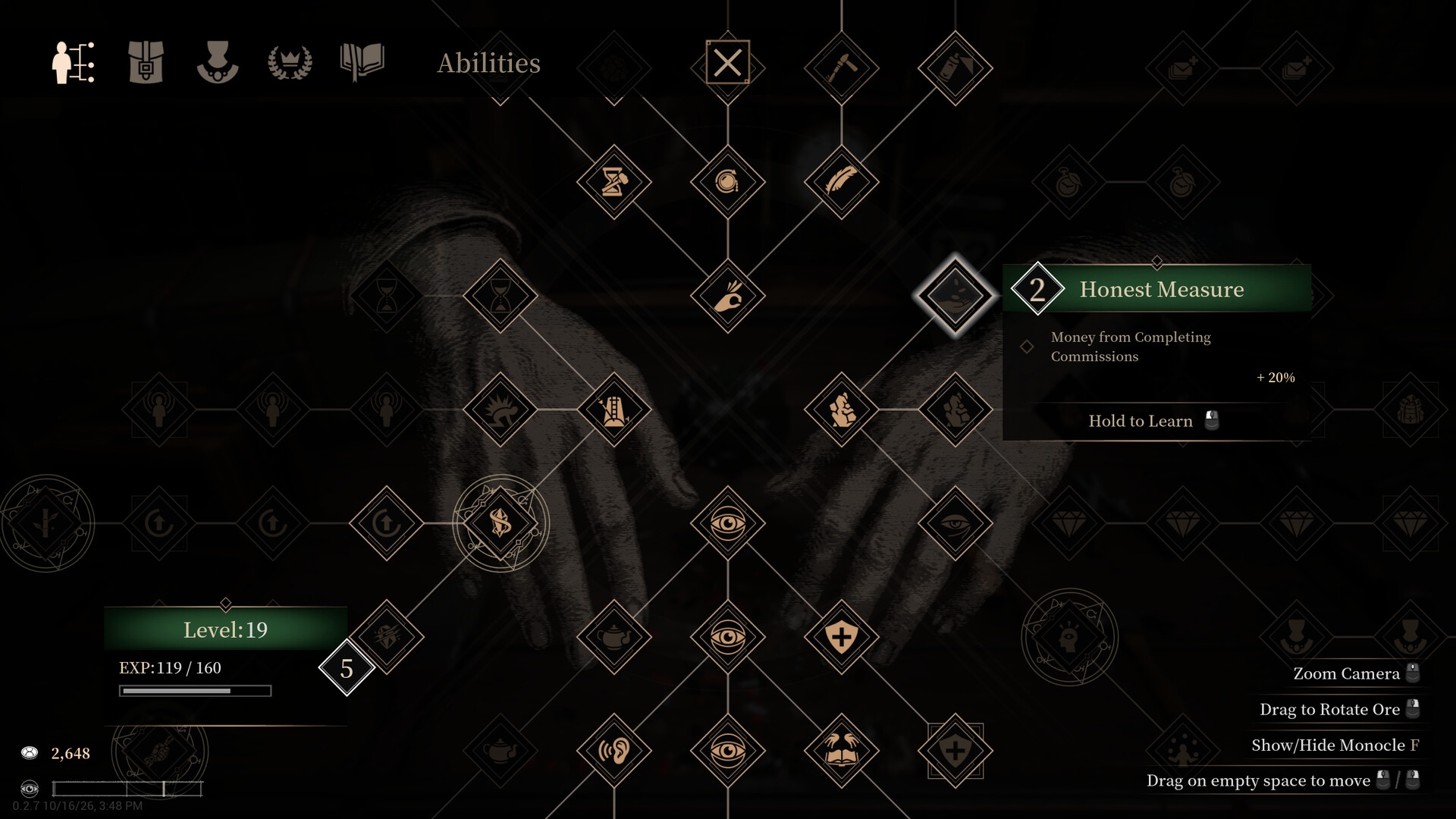
Official screenshot · Source: Steam store
There is no specific full-release date or purchase price shown in the supplied listing.
| Detail | Confirmed information as of October 24, 2026 |
|---|---|
| Developer | Light Worm |
| Publisher | XD |
| Full-game release status | Coming soon |
| Specific release date | Not listed |
| Full-game price | Not listed |
| Free demo | Available |
| Main-game user reviews | No user reviews |
| Listed genres | Indie, RPG, Simulation |
You can find the download option, current announcements, and wishlist button on the official Abyssal Lapidary Steam store page.
How to download the demo
Getting started is straightforward:
- Open the game’s official Steam page.
- Find the Download Abyssal Lapidary Demo section.
- Select the download option and open Steam if prompted.
- Follow the installation prompts.
- Launch the demo from your Steam library.
You do not need to buy the unreleased full game to try the free demo. However, the available material does not establish whether demo saves will transfer to the finished release, so avoid planning around that assumption.
What the recent announcements tell us
The store’s announcements identify October 16, 2026, as the public demo launch tied to Steam Next Fest. An October 23 announcement references demo version 0.2.15 and a community giveaway.
That confirms recent demo activity, but it does not establish a future patch schedule or launch window. If you installed an earlier build, check Steam for an update before reporting a problem; your issue may differ from behavior in the current version.
Platforms, Steam Deck, and Supported Features
For anyone checking Abyssal Lapidary Steam platform support, Windows is the only operating system covered by the supplied system requirements. The reference material does not confirm native macOS or Linux versions, console editions, or a separate mobile release.
That distinction matters: a Steam listing alone does not mean a game supports every operating system on which Steam runs.
| Platform or feature | Current listing status | What it means for you |
|---|---|---|
| Windows PC | Windows requirements listed | The documented platform to plan around |
| macOS | No requirements listed | Native support is not confirmed |
| Linux | No requirements listed | Native support is not confirmed |
| Steam Deck | Compatibility unknown | Do not assume Verified or Playable status |
| Consoles | Not confirmed in the supplied material | No supported console release details to rely on |
| Multiplayer | Listed as single-player | Do not expect a confirmed co-op mode |
| Family Sharing | Listed | Check Steam’s applicable sharing conditions |
Is Abyssal Lapidary playable on Steam Deck?
The official compatibility field says Unknown. That is not the same as “Unsupported,” but it is also not a positive compatibility assessment.
The supplied sources do not establish controller support, readable handheld interface scaling, Proton behavior, or stable frame rates. None of those should be inferred from the Windows minimum requirements.
If Steam Deck is your only gaming device, the free demo offers a way to investigate compatibility without purchasing the full game. Treat your results as device-specific testing rather than proof of official support. Check text readability, input behavior, saving, and performance during actual gemstone work—not just the opening menu.
Languages and accessibility
The listing shows interface and subtitle support for nine languages: English, Simplified Chinese, Traditional Chinese, French, German, Spanish from Spain, Japanese, Korean, and Russian. Full audio support is not marked in the supplied language table.
Listed accessibility options include:
- Saving at any time
- Color alternatives
- Camera comfort options
- Custom volume controls
- Stereo sound
- Play without quick-time events
These options are useful to know about, but the store excerpt does not explain their precise settings. If a particular accommodation is essential, inspect the demo’s menus rather than assuming how it works.
Abyssal Lapidary Steam System Requirements
The Abyssal Lapidary Steam requirements list 10 GB of available storage and DirectX 12 for both minimum and recommended configurations. Memory increases from 8 GB at minimum to 16 GB recommended.
The largest difference is graphics hardware: the recommended GPUs are substantially more powerful than the minimum options.
| Component | Minimum | Recommended |
|---|---|---|
| Operating system | Windows 10, 64-bit | Windows 10 or 11, 64-bit |
| Processor | Intel Core i5-8400 or AMD Ryzen 5 2600 | Intel Core i5-10400 or AMD Ryzen 5 3600 |
| Memory | 8 GB RAM | 16 GB RAM |
| NVIDIA graphics | GeForce GTX 1650 or GTX 1060 6 GB | GeForce RTX 4070 |
| AMD graphics | Radeon RX 570 4 GB | Radeon RX 7900 XT |
| DirectX | Version 12 | Version 12 |
| Available storage | 10 GB | 10 GB |
How to interpret these specifications
The listing does not associate its requirements with a target resolution, graphics preset, or frame rate. Consequently, minimum specifications should not be presented as a guarantee of smooth 1080p gameplay, and recommended specifications do not establish a particular high-resolution target.
Before downloading:
- Confirm that Windows is 64-bit.
- Compare your actual GPU model with the listed options.
- Make sure at least 10 GB of storage is available.
- Update your graphics drivers if they are outdated.
- Use the demo to evaluate performance on your own configuration.
For a meaningful test, spend time inspecting minerals, working at benches, and moving around the house. A quiet opening scene may not represent every part of the experience.
If performance is inconsistent, adjust the graphics options available in the demo and compare the same scene after each change. This is more useful than changing several settings at once and guessing which one helped.
Gameplay: Gem Cutting, Shopkeeping, and Gothic Horror
Hardware compatibility is only half the decision. The bigger question is whether you enjoy the game’s particular blend of careful crafting and slow-building unease.
You inherit Vermilion House, a declining business in the underground city of Fathomholm. Your work involves evaluating rough minerals, removing unwanted material, shaping gemstones, and creating jewelry for increasingly unusual customers.
| Activity | What the official description establishes | Why it matters |
|---|---|---|
| Mineral appraisal | Examine rough materials | Learn what you are working with |
| Stone preparation | Remove impurities | Reveal and prepare valuable material |
| Gem faceting | Carve precise surfaces | Turn rough stones into finished gems |
| Jewelry crafting | Set polished gems into jewelry | Produce pieces for clients |
| Reputation building | Customers become stranger as reputation rises | Connect business progress with the setting |
| Investigation | Explore passages, chambers, and old records | Uncover Vermilion House’s history |
The horror is tied directly to your profession. The official description presents minerals with unnatural characteristics, growing hallucinations, and disturbing discoveries inside the house. This is not simply a bright storefront simulator with an occasional spooky decoration.
At the same time, the available coverage suggests that the practical work remains central.
What hands-on coverage adds
In PC Gamer’s October 23 demo impressions, writer Elie Gould describes starting with rock-breaking, tool maintenance, and customer interactions. Selling goods eventually produced enough renown to apply for a Silver License, which unlocked the gem faceting table in that playthrough.
That is a useful progression example, not a guarantee that every future build will preserve the same unlock sequence.
Gould also reports that faceting requires precision: working a gem for too long or stopping too early can reduce its value. The article characterizes the overall pace as methodical and sometimes slow, with a fast-forward function helping during quieter periods.
These are one writer’s hands-on observations, not an aggregate community verdict. The main game’s store page has no user-review consensus yet.
Practical Tips Before You Commit to the Full Game
The best use of the Abyssal Lapidary Steam demo is to test both technical suitability and your interest in the daily routine. A striking gemstone-cutting clip cannot tell you whether you enjoy buying rough materials, waiting for customers, and gradually unlocking more equipment.
Give the business side enough time to become clear before deciding solely on the first few minutes.
| Demo check | Suggested action | What you learn |
|---|---|---|
| Basic performance | Explore the house and use a workbench | Whether your PC handles normal play |
| Input comfort | Practice selecting and manipulating materials | Whether detailed tasks feel manageable |
| Crafting appeal | Continue toward the faceting-table unlock described in coverage | Whether precision work holds your attention |
| Pacing | Try the reported fast-forward feature when available | Whether quiet periods bother you |
| Accessibility | Inspect relevant settings early | Whether available options meet your needs |
Approach early crafting as practice
Because hands-on coverage reports that inaccurate faceting can lower a gem’s value, prioritize understanding the tools over chasing a perfect result immediately. Pay attention to the feedback the demo provides and notice what changes when you stop earlier or later.
This is a learning recommendation, not a claim that a particular input method guarantees better profits.
Likewise, treat the Silver License as an early goal suggested by the reported playthrough. If you have not reached gem faceting yet, you may not have seen the activity that initially drew your interest.
Keep expectations grounded
Before adding the full game to your purchase plans, remember what remains unresolved:
- The release date and price are not listed.
- Steam Deck compatibility is unknown.
- Demo-to-release save transfer is not established.
- Native Mac and Linux support is not confirmed.
- Multiplayer is not a listed feature.
For now, the sensible next step is to try the free demo, wishlist the game if its routine appeals to you, and watch official announcements. The Abyssal Lapidary Steam page is the place to recheck these changing details rather than treating a demo-era snapshot as permanent.
FAQ: Abyssal Lapidary Steam
Is Abyssal Lapidary available on Steam now?
Yes, its Steam page and free demo are available. However, as of October 24, 2026, the full game remains unreleased and is listed as coming soon. No specific launch date appears in the supplied listing.
Is the Abyssal Lapidary Steam demo free?
Yes. The official page provides a free demo download. That does not establish the full game’s eventual price, and the supplied material does not confirm whether demo progress will carry over.
Does Abyssal Lapidary support Steam Deck?
Steam Deck compatibility is currently listed as Unknown. There is no confirmed Verified or Playable rating in the supplied material. The demo can help you test your device, but personal results do not replace an official compatibility assessment.
Is Abyssal Lapidary a relaxing simulator or a horror game?
It combines both elements. Hands-on coverage describes deliberate, potentially relaxing gemstone work, while the official description emphasizes unnatural minerals, hallucinations, and a mystery inside Vermilion House. Expect careful shopkeeping and crafting within a gothic horror setting—not an entirely cozy jewelry simulator.
Related Guides
Abyssal Lapidary PC: Demo, Specs, and Release Info
Explore Abyssal Lapidary PC platforms, Steam demo access, system requirements, release status, and beginner tips for its gothic gemstone business.
Abyssal Lapidary ps5: Release Status and PC Demo
Is Abyssal Lapidary coming to PS5? Check the confirmed platform details, PC demo release date, system requirements, and what remains unannounced.
Abyssal Lapidary Steam Deck: Compatibility Guide
Check Abyssal Lapidary Steam Deck compatibility, demo availability, control considerations, and sensible settings to test before release.
Abyssal Lapidary walkthrough: Demo Crafting Guide
Start the Abyssal Lapidary demo with practical ore-cutting tips, a community-reported hacksaw workaround, and guidance for crafting and exploration.
Abyssal Lapidary activation anomaly: Demo Guide
Understand Abyssal Lapidary's anomaly warnings, unusual finds, and activation lore, with practical demo tips and clearly labeled player experience.