Abyssal Lapidary precious ore: Processing Guide
Learn how to process Abyssal Lapidary precious ore, protect gems, fix commission mismatches, and recover metals and relics in the demo.
Abyssal Lapidary Precious Ore: What Actually Matters
One careless strike can turn a promising gemstone into fragments. Understanding Abyssal Lapidary precious ore processing helps you protect valuable finds, complete commissions, and avoid spending your working day repairing tools. This Abyssal Lapidary precious ore guide explains how to inspect rough material, choose an appropriate tool, collect separated gems, and decide what to sell or keep.
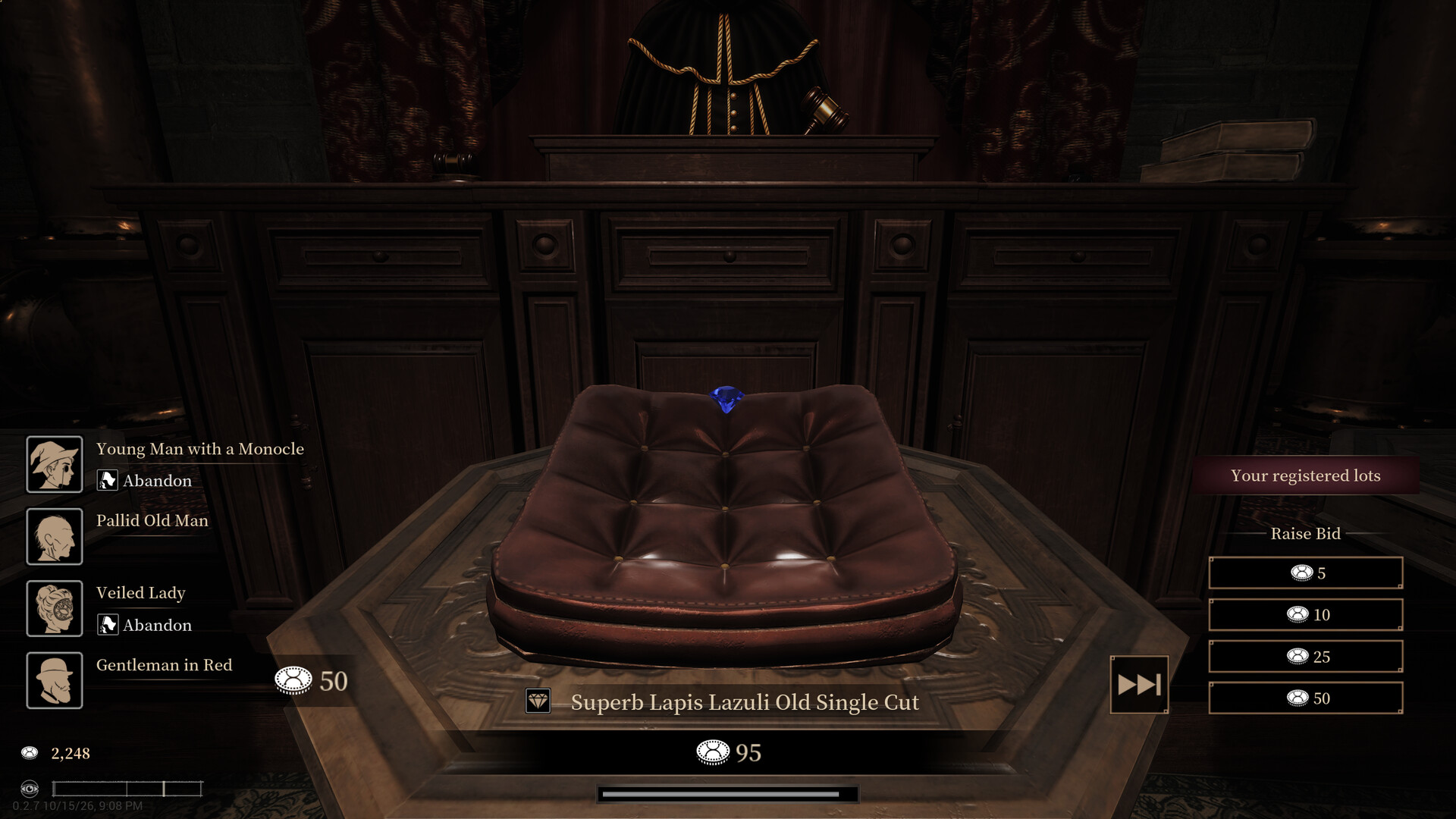
Official screenshot · Source: Steam store
The key distinction is between the rock surrounding a find and the valuable material inside it. Breaking everything as quickly as possible is not always profitable, especially when a customer needs a specific mineral or an uncut specimen.
Scope: This guide covers the demo using the supplied gameplay reference. Specific observations from that footage are labeled player experience; prices, unlocks, and interface behavior may change. The official Abyssal Lapidary Steam page confirms the broader appraisal, gem-cutting, jewelry-making, and supernatural mineral systems.
Precious ore, precious crystals, and precious metals
These terms should not be treated as interchangeable. A colorful crystal does not automatically satisfy a commission labeled “precious crystal.”
| Material or find | What you are handling | Recommended approach |
|---|---|---|
| Host rock | Surrounding material, such as limestone, marble, or basalt | Remove it while protecting useful contents |
| Gem-bearing ore | A rough specimen containing valuable minerals | Inspect inclusions and expose them carefully |
| Commission-eligible crystal | A mineral accepted by a particular request | Check the delivery interface and all conditions |
| Metal-bearing ore | Material containing recoverable metals | Break down and collect useful fragments |
| Relic-bearing ore | Rock enclosing an artifact | Clear its surroundings, then use long-nose pliers |
Player experience: Fluorite, amethyst, and citrine were rejected during early attempts to fulfill a precious-crystal request. That does not establish a universal exclusion list: the complete commission conditions were not consistently visible. Treat the request’s eligible-item list as more reliable than appearance or perceived rarity.
How to Process Ore Without Ruining Your Gems
The basic Abyssal Lapidary precious ore workflow is inspection, controlled removal, collection, and reassessment. Before striking anything, identify both the surrounding rock and any exposed inclusions.
The demo tutorial describes two resistance properties: hardness and toughness. Tools have corresponding capabilities, so hardness alone does not explain every slow or ineffective strike.
| Tool capability compared with the target | Tutorial-described outcome | Practical response |
|---|---|---|
| Both ratings meet or exceed the target’s ratings | Efficient removal | Suitable for the material you intend to break |
| Either rating is one level below the corresponding target rating | Very inefficient removal | Reassess the tool or processing level |
| Either rating is two levels below the corresponding target rating | Tool cannot break that material | Useful protection only when that material should remain intact |
| Stronger setting used near a vulnerable inclusion | Potential damage risk | Inspect again and reduce the setting where appropriate |
Inspect before increasing power
Player experience: A gemstone with hardness 3 cracked when the player used processing level 2. Earlier work around hardness-4 gems with a hardness-2 chisel appeared safe.
The useful lesson is not simply “a softer chisel cannot damage gems.” A one-level gap may still allow damage. The tutorial’s two-level resistance threshold provides a better reference, but you should compare both relevant ratings and watch the damage feedback.
For example, if the surrounding rock can be removed at level 1 and the exposed gemstone has hardness 3, increasing to level 2 may add unnecessary risk. More power is valuable only when it solves a removal problem.
Follow this extraction sequence
| Step | Action | Why it helps |
|---|---|---|
| 1 | Inspect the specimen with the head-mounted loupe | Reveals material information before you commit |
| 2 | Compare the rock and inclusion ratings | Identifies what you can remove safely |
| 3 | Clear accessible outer rock | Creates working space around valuable contents |
| 4 | Rotate and inspect newly exposed surfaces | Helps locate additional gems or embedded objects |
| 5 | Put down your tool and collect separated pieces | Transfers freed small finds into storage |
| 6 | Store the remaining specimen if uncertain | Preserves the option to examine it later |
The tutorial also introduces stress nodules: darker, more resistant structures that trigger broader breakage in the same mineral when destroyed. They can accelerate removal, but confirm which material you are targeting before using them.
Avoid reducing every specimen to dust out of habit. Additional strikes consume durability, and repairs consume time.
Choose Tools and Upgrades for the Material
Efficient Abyssal Lapidary precious ore processing depends on matching the tool to the obstacle. A hammer can remove substantial material, but it is not a universal replacement for careful chisel work.
The following roles come from tutorial descriptions and player experience in the supplied demo footage.
| Tool | Intended role | Best practical use |
|---|---|---|
| Point chisel | Controlled mineral removal | General extraction around exposed gems |
| Hammer | Broad destruction of high-hardness, low-toughness minerals | Removing suitable bulk material |
| Gouge | Working lower-hardness, higher-toughness minerals | Handling material that resists an unsuitable tool |
| Long-nose pliers | Extracting exposed relics and certain unnatural growths | Recovery after sufficient surrounding material is removed |
| Brush | Clearing loose workbench debris | Cleanup after processing |
| Relic compass | Detecting relic-bearing specimens | Screening available ore before purchasing |
Upgrade the bottleneck, not everything at once
Player experience: The tool station offered upgrades including handling speed, break efficiency, maximum durability, and hardness capability. Long-nose pliers also had a loosening-efficiency upgrade.
Choose upgrades according to the problem you are experiencing:
- Frequent repair interruptions: Consider maximum durability.
- Slow removal despite an appropriate tool: Check break efficiency and resistance ratings.
- Relics taking too long to extract: Examine plier durability and loosening efficiency.
- Material beyond your current capability: Consider an appropriate rating upgrade.
A stronger tool can also create new risks. After increasing its capabilities, recheck the active processing level before returning to a delicate specimen.
There is no demonstrated universal upgrade order. Your immediate commissions and incoming ore should determine what deserves your limited funds.
Fix Precious-Crystal Commission Problems Before Cutting
A common Abyssal Lapidary precious ore mistake is processing a useful item into the wrong form. A cut gemstone may be worth more to one buyer while becoming ineligible for another request.
Player experience: After faceting emerald and peridot specimens, the player could no longer select those stones for a collector’s request. The player interpreted this as a raw-material requirement. Because the transcript does not clearly expose every condition, verify the request rather than assuming every collector follows that rule.
| Condition to check | Possible mismatch | What to do |
|---|---|---|
| Mineral type | Attractive stone, wrong mineral | Read the accepted types or eligible-item list |
| Raw or cut state | Faceted gem offered for a raw request | Reserve eligible specimens before cutting |
| Cut shape | Correct mineral, unsuitable shape | Choose the requested cut before faceting |
| Minimum grade or quality | Item does not meet the threshold | Compare the item details with the request |
| Color | Stone falls outside the requested colors | Inspect its listed color |
| Deadline | Required item cannot be sourced in time | Check stock and supplier appointments first |
Use the delivery interface as a diagnostic
Before selling or cutting an uncertain item, open the commission and see whether it appears among eligible deliveries. This is especially helpful when the request uses a broad label such as “precious crystal.”
If the game reports a wrong mineral type, stop trying visually similar stones at random. Inspect the stated mineral and compare it against the actual request.
Player experience: Accepted commissions could be fulfilled through the delivery hatch beside reception, without handing the item directly to the original customer.
Facet for an identified purpose
Player experience: A silver license unlocked the faceting table. Available cuts displayed value bonuses, and accurate inputs built Flow. Once activated, Flow allowed a sequence of cuts without the normal timing requirement.
For your Abyssal Lapidary precious ore routine, check commissions first, reserve raw candidates second, and facet surplus stones third. A displayed cutting bonus is not a guarantee that every buyer will pay enough to justify the work.
Flow-related skills help with faceting; they do not speed up chiseling. Early skill points are more useful when they support the activity currently limiting your progress.
Recover Metals, Relics, and Anomalies Profitably
The best Abyssal Lapidary precious ore purchases can offer more than gemstones. Metal fragments, relics, and unusual growths introduce separate recovery methods—and separate reasons to inspect before buying.
Preserve metals for upgrades
The demo tutorial identifies pyrite and malachite as sources of collectible base-metal material. It also explains that improved licenses open access to ores containing precious metals such as gold and silver.
Player experience: Later merchant stock included native gold and native silver. Processing produced collectible precious-metal material during workbench cleanup.
Do not assume every fragment should be sold immediately. The tutorial connects recovered metals with workshop and tool improvements. Keep useful supplies while checking your next upgrade requirements; no complete refining chain is established by this footage.
Extract relics carefully
Player experience: The relic compass reacted to merchant specimens before purchase, allowing targeted buying rather than blind speculation.
After exposing a relic:
- Remove surrounding mineral carefully.
- Watch its breakage feedback.
- Try the long-nose pliers.
- If it remains too deeply embedded, inspect for remaining obstructions.
- Check plier durability before a prolonged extraction.
The gemstone resistance rule should not be treated as a guarantee of relic safety. In the footage, relic breakage increased during nearby excavation.
Recovered relics can provide workshop bonuses when placed in dedicated relic cabinets. Player experience: Examples affected jewelry sale prices, ore sale prices, and commission completion bonuses. Ordinary ore displays instead contributed shop allure.
Record unusual growths before removal
Player experience: A visiting photographer supplied a camera and paid for anomaly film. The viewfinder signaled a visible anomaly, while long-nose pliers later recovered living tissue from a growth.
Photograph unfamiliar anomalies before destroying or extracting them. Certain abnormal minerals also raise Awareness, connecting ore processing to the game’s hallucination systems. The footage does not establish a precise safe threshold or complete recovery strategy.
Finally, preserve purchasing flexibility. Leave storage space, retain money for dues and repairs, and choose supplier appointments around your accepted requests. Buying every available specimen can leave you unable to afford the one you actually need.
FAQ: Abyssal Lapidary Precious Ore
What counts as a precious crystal?
Do not rely on color, sparkle, or real-world gemstone classifications. Player experience shows that seemingly suitable crystals can be rejected. Check the commission’s accepted minerals, minimum requirements, and eligible delivery items.
How do you collect gems after freeing them?
Put down the tool, select the ore with empty hands, and choose the option to store small ore pieces. The tutorial explains that separated small finds are collected this way, while very small, low-value minerals may be automatically recycled. Store the remaining specimen separately if needed.
What is the safest way to process Abyssal Lapidary precious ore?
Inspect both the host rock and valuable inclusions, compare hardness and toughness, and use only the capability needed for removal. A one-level hardness difference is not automatically safe. Recheck settings after upgrades and avoid assuming relics follow gemstone damage rules.
Should you cut every gemstone before selling it?
No. Player experience indicates that faceting can make a previously eligible raw specimen unavailable for a commission. Check requests first, reserve useful raw stones, and cut when the displayed bonus or a customer’s requirements justify it.
Related Guides
Abyssal Lapidary activation anomaly: Demo Guide
Understand Abyssal Lapidary's anomaly warnings, unusual finds, and activation lore, with practical demo tips and clearly labeled player experience.
Abyssal Lapidary AI Usage: What Players Should Know
Explore Abyssal Lapidary AI usage claims about textures, English localization, and coding, plus what remains unverified and how to check.
Abyssal Lapidary awareness: Effects and Recovery
Learn how Abyssal Lapidary awareness rises, what hallucinations and mental overload mean, and how to manage abnormal minerals and recovery.
Abyssal Lapidary gem cutting: Beginner Guide
Explore Abyssal Lapidary gem cutting, from ore appraisal to jewelry crafting, with confirmed mechanics and practical tips for the demo.
Abyssal Lapidary Steam Next Fest: Demo Release Guide
Explore the Abyssal Lapidary Steam Next Fest demo, including its 4+ hours of content, save transfers, new features, and PC requirements.